Connection Timed Out
Error Description
Players see "Connection timed out" in the Minecraft client when trying to connect. The Goxy proxy connects successfully, but the target server does not respond. This can be caused by firewall blocks, ISP restrictions, incorrect server address, or the address pointing to a non-Minecraft service.
⚠️Error Symptoms
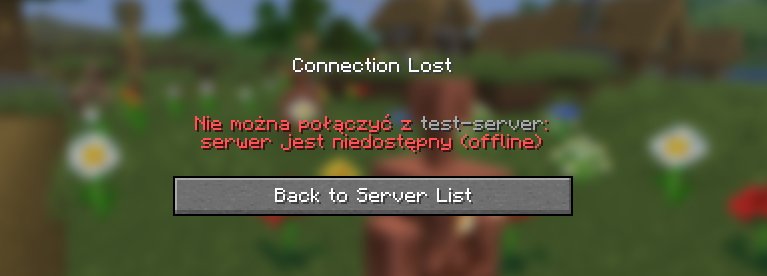
Players see in the Minecraft client:
- "Connection timed out"
Error Screenshot
Possible Causes
🔍What Could Be the Cause?
- Firewall blocking connection: The Minecraft server port (e.g., 25565) is blocked by the firewall on the target server.
- ISP or hosting provider block: Network provider blocks traffic on the server port.
- Incorrect server address: Wrong IP or port entered in the Goxy Dashboard.
- Not a Minecraft server: The address points to a non-Minecraft service (e.g., web server).
- Server offline or unstable: The target server is down or experiencing network issues.
Fix Steps
🔧How to Fix the Error?
- Check firewall rules:
- Ensure the server port (e.g., 25565) is open in the target server's firewall.
- Linux example:
ufw allow 25565 - Contact your hosting provider to verify port blocks.
- Verify server address:
- In the Goxy Dashboard, go to network settings and confirm the target server IP and port are correct.
- See Server Setup Guide.
- Confirm it's a Minecraft server:
- Verify the IP:port points to a running Minecraft server (e.g., Paper/Spigot).
- Use
ping <IP>:<port>or an online tool to test.
- Check server status:
- Ensure the target server is online. Check console logs (
latest.log) for errors.
- Ensure the target server is online. Check console logs (
- Contact support:
- If the issue persists, reach out on Discord.
Additional Notes
💡Tips & Advice
- Check Goxy server status at status.goxy.io.
- Update the Goxy plugin to the latest version to avoid compatibility issues.
- If using external hosting, confirm with the provider there are no network or incoming traffic limits.
✅Error Fixed!
After completing the steps, your server should respond to connections. If the issue persists, contact us.
Links
🌐 Our website is available at goxy.io
🖥️ Goxy dashboard is available here
⏳ Suspect a breakdown? Check our status page
💬 Want more about Goxy? Head to Discord
🤩 Look at the awesome curated list
📘 Read the API documentation