Creating Your First Server
This guide will walk you through adding a target server in the dashboard. With Goxy’s folders and servers, you can easily organize your network, and our platform will automatically balance the load when players join. Ready to add your first server and kick off gameplay?
In just a few clicks, create folders and servers to manage your network like a pro — no complications!
Step 1: Create Your First Server
Before creating a server, you first need to create a new folder. Folders in Goxy help group servers (e.g., multiple lobby servers), and our platform automatically distributes players across them for optimal load balancing.
Creating a New Folder
-
Click the
New Folderbutton on the server list.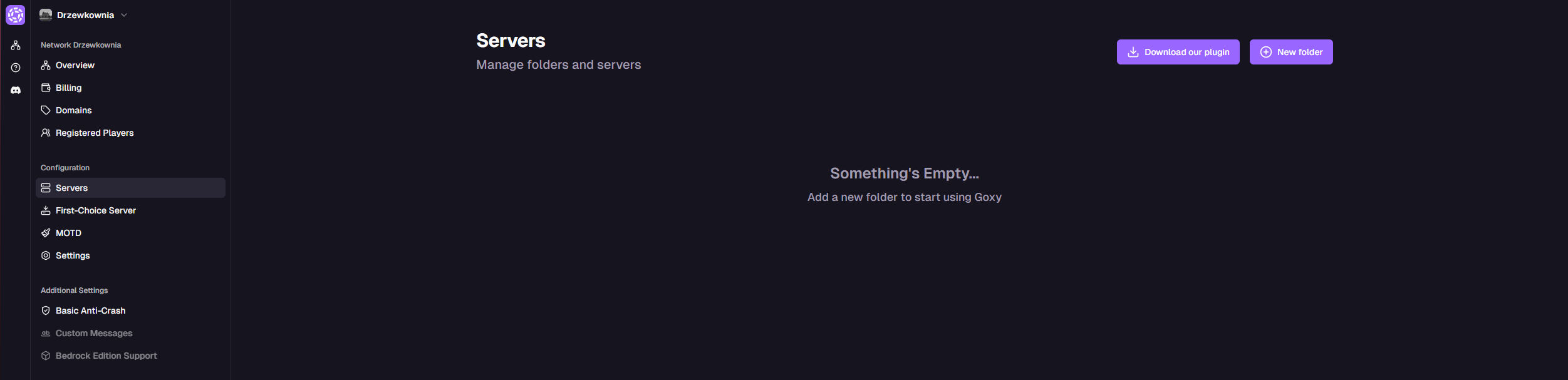
-
Enter a folder name.
-
Click
Create.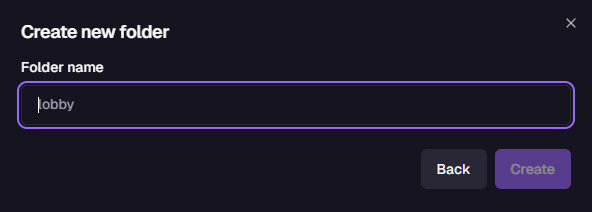
Creating Your First Server
Now you can add your first target server.
Important: Include the port in the server address, e.g., 198.69.47.1:25565.
-
Click the
New Serverbutton on the server list.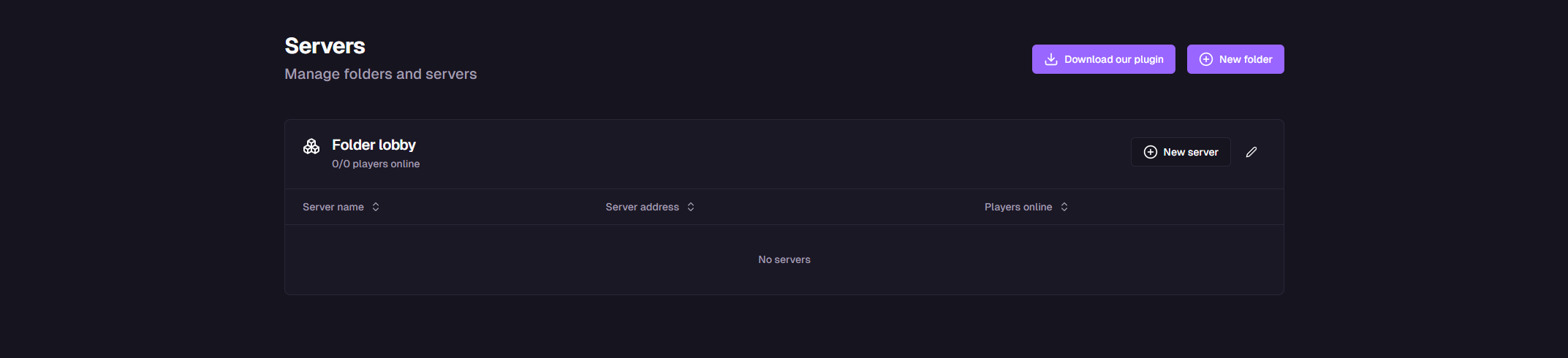
-
Fill in the server details in the form:
Server Name
Enter a unique name for your server, e.g., "Lobby1" or "Survival".
Server Address
Enter the IP address with port, e.g.,
198.69.47.1:25565. Make sure the port is correct!Player Slots
Specify the maximum number of players, e.g., 20.
-
Click
Create.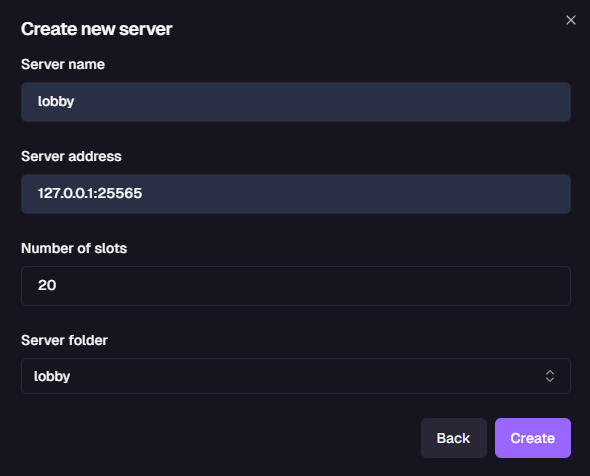
Organization
Folders help group servers for easy management.
Load Balancing
Automatic distribution of players across servers.
Simplicity
Add a server in a few clicks — no coding needed.
Links & Resources
Here are the key links to our resources — all in one place!
| Resource | Link |
|---|---|
| Goxy Homepage | goxy.io |
| Admin Panel | dashboard.goxy.io |
| Status Page | status.goxy.io |
| Discord Community | Join Discord |
| Awesome Goxy List | View list |
| API Documentation | API Docs |
Contact us!
We respond to all messages within 24 hours on Discord.