Setting the Default Server
This guide will walk you through the final step of initial setup in the dashboard — setting the default folder where Goxy will send players upon joining your server. This ensures Goxy knows which folder serves as the lobby, providing a smooth start to gameplay. Ready to complete the setup and launch your network?
In just a few clicks, you’ll set the default server and launch your network like a pro!
Step 1: Set the Default Server
In this step, you’ll choose the folder Goxy will direct players to immediately after joining your server. This is essential so Goxy knows which folder is the lobby.
- Go to the
Default Servertab.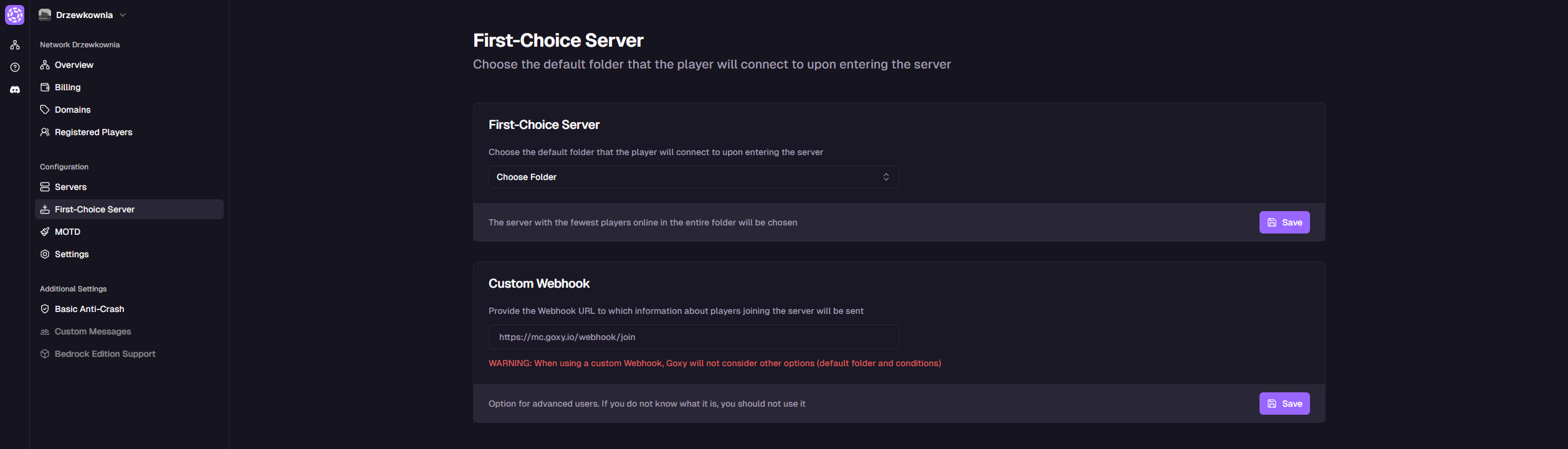
- Select the folder you created earlier.

- Click the
Savebutton.
Your configuration is complete! Goxy will now automatically send players to the selected lobby folder upon joining.
Smooth Lobby
Players are automatically sent to the selected lobby folder.
Easy Setup
Set the folder in a few clicks — no complications.
Speed
Ready in a flash, so your network works instantly!
Links & Resources
Here are the key links to our resources — all in one place!
| Resource | Link |
|---|---|
| Goxy Homepage | goxy.io |
| Admin Panel | dashboard.goxy.io |
| Status Page | status.goxy.io |
| Discord Community | Join Discord |
| Awesome Goxy List | View list |
| API Documentation | API Docs |
Contact us!
We respond to all messages within 24 hours on Discord.